1
What a bot is
A bot is a coworker with one job: keep CI green, test the app in a browser, triage new issues, research docs, run errands on the web. You talk to it in its own conversation, and it remembers what you said there.
Each bot is a small Markdown file: its name, its job in your words, the tools it may use, what it must never do, and a token budget per run and per day. Project bots live in .sweepspace/bots/ and are shared through git; your own bots work in every project.
2
Where it works
Every bot has a Where it works choice:
- This PC (the default). It runs commands and edits files in your project, like an agent in a terminal. Its browser is an Edge window of its own that keeps its logins; your own Edge profile is never touched.
- Its own computer. A Linux desktop in Docker that keeps its browser logins. Watch it live, take the wheel any time and hand it back.
- Read only. It reads the project and the web, and changes nothing.
No Docker? Bots you hire work on your PC from the start. The browser reads each page as named elements, so a bot clicks what the page calls "Post comment" instead of guessing at pixels, and spends far fewer tokens than screenshots.
3
What it asks you about
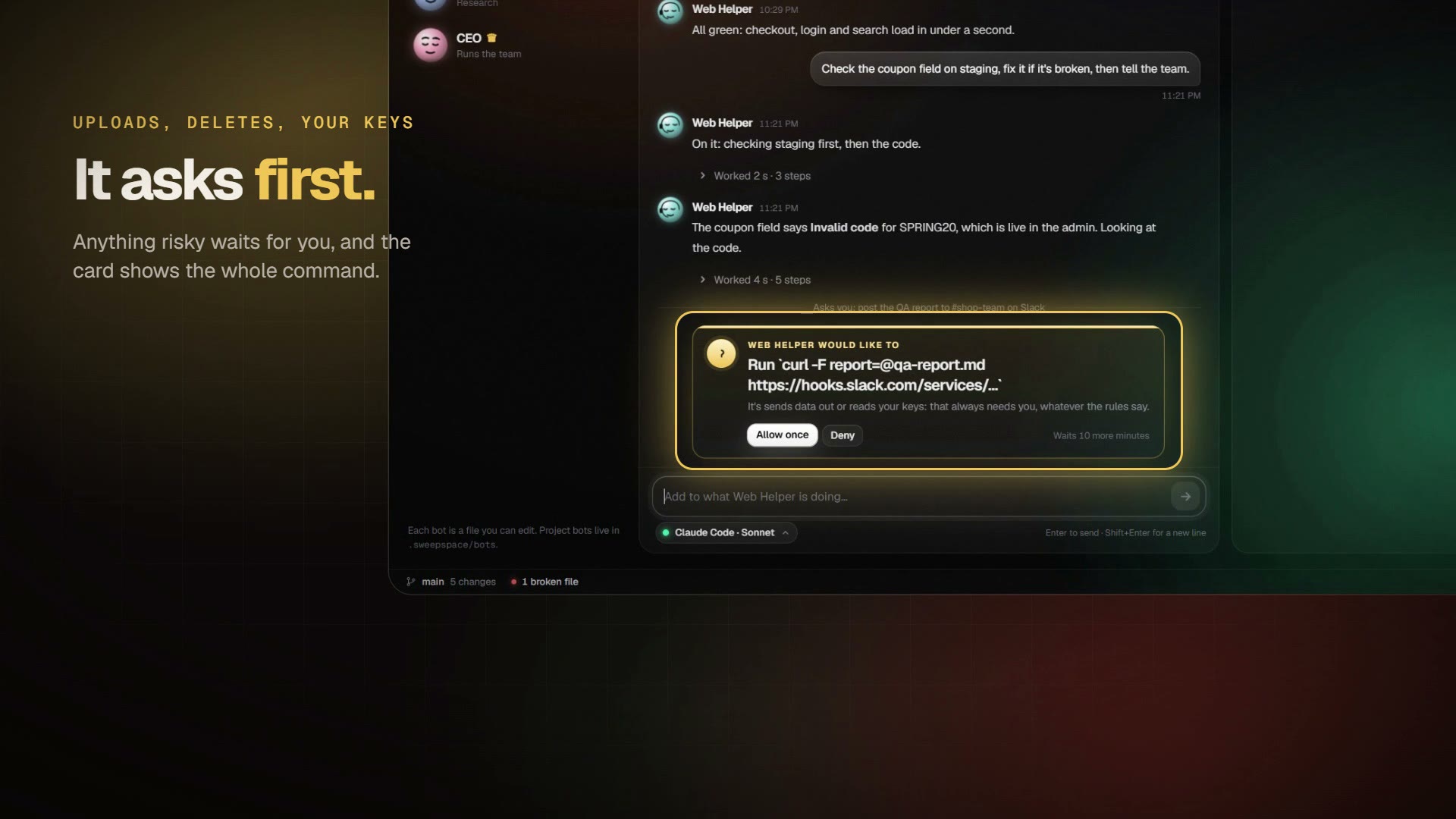
A bot asks before anything risky, in a card with the whole command and three answers: Allow once, Always allow, or Deny.
- Uploads, deleting folders, pushing, and web addresses stuffed with data.
- Reading keys or
.envfiles, and files outside the project. - Changing its own rules or your git hooks.
- Sending, posting and submitting forms in its browser.
Passwords, payments, security settings and pushing to the main branch always ask, whatever the rules say. A login or a CAPTCHA? It asks you to take over its screen, then carries on. What it did lists every action with the rule that allowed it.
4
Free models
Without Claude Code, every bot runs on OpenCode's free models: no account, no key, no subscription. Sweepspace sets OpenCode up by itself on first start. A busy free model is swapped for another free one by itself.
With Claude Code installed, switch a bot's brain from its conversation: Sonnet, Opus or Haiku on your own plan, or OpenCode. Free models are slower and less sharp than the top paid ones, so give them clear, small jobs.
5
The catalog
Start from a ready bot and change it as you like: CI Doctor (keeps the build green), App Tester (walks through your app in a browser), Dependency Keeper, Docs Researcher, Issue Triage and Web Helper (errands on the web). Or write your own in plain words.
6
A team with a CEO
Give a big goal to the CEO bot. It plans the work, reuses or hires the bots it needs, hands each one a task that stands on its own, collects their reports, and gives code changes to the crew: Scout researches, Forge builds on its own branch, Warden reviews, Ledger keeps the budget. Merging is yours.
7
Coming next
In the next beta, being tested now: bots that remember you across conversations (a notebook every bot shares, and one of their own), skills they follow and improve from your feedback, routines that run on a schedule or a webhook, handing work to each other, group chats, and drafts you edit before anything goes out in your name.
8
Questions
Do bots cost money to run?
Not necessarily. Without a Claude subscription, bots think with OpenCode's free models. With Claude Code installed they can use Sonnet, Opus or Haiku on your own plan. Sweepspace Pro, which includes Bots, is free during the beta.
Can a bot delete my files or push my code?
Not without you. Deleting folders, pushing, uploads, reading keys or .env files, and files outside the project wait for your OK, with the whole command shown. Some things, like passwords and payments, always ask, whatever the rules say.
Do I need Docker?
No. Bots work on your PC by default. Docker Desktop is only needed if you want a bot to have a Linux computer of its own.